


The Technical Bulletin website will be updated in April 2026. Preview the new website.
Read more about the modernization release schedule in this announcement.
Contact the NLM Help Desk with any questions or concerns.
Read more about the modernization release schedule in this announcement.
Contact the NLM Help Desk with any questions or concerns.
PubMed Advanced Search Page Updated
[Editor’s Note: These changes were implemented in PubMed on December 12, 2011.]
The PubMed® Advanced search page will soon be modified to provide users with a less cluttered, more intuitive way to build searches (see Figure 1).
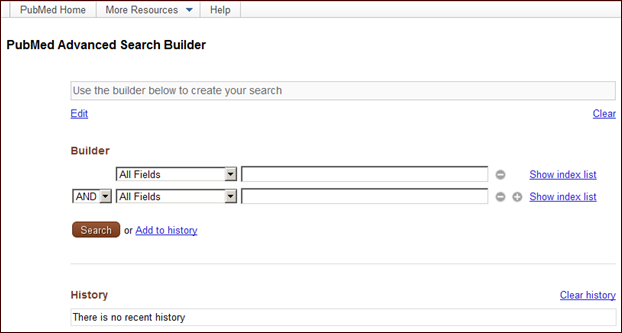
Figure 1: PubMed Advanced Search Builder page.
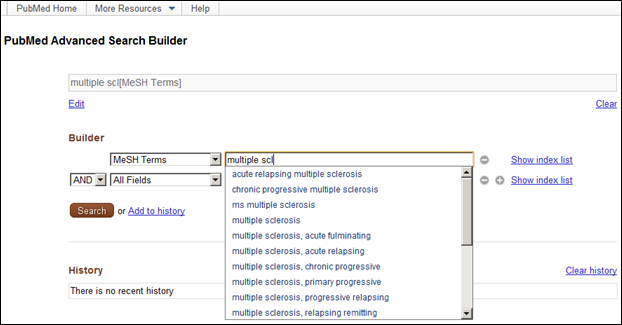
Figure 2: Creating a search using the builder.
Users will be able to remove individual terms from the search box using the builder icons  next to each selection, or completely clear the search box by clicking Clear.
Clicking Show index list will display an alphabetical list of all terms for a specific search field. Clicking a term in the index list display will automatically add it to the search box (see Figure 3).
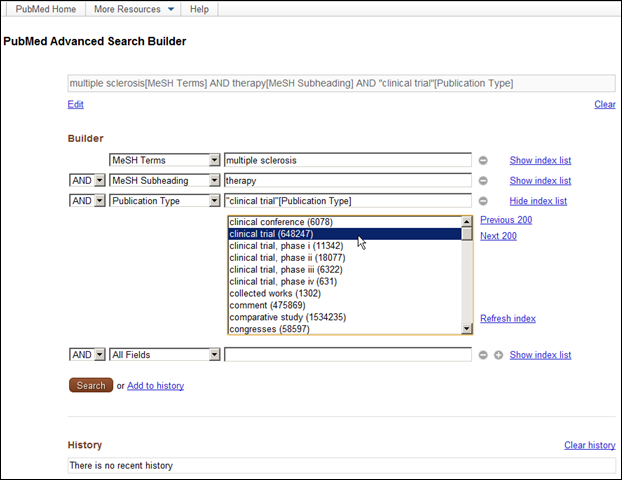
Figure 3: Show index list for Publication Type.

Figure 4: History.
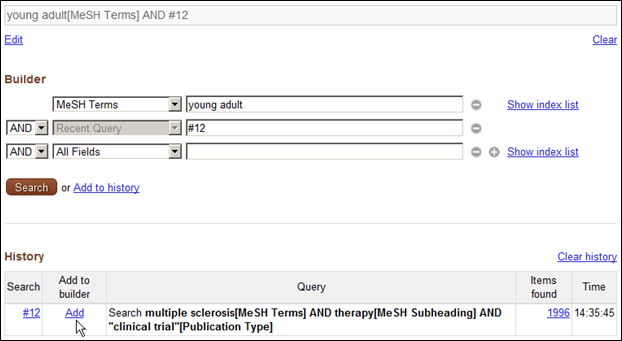
Figure 5: Using a previous search in a subsequent search.
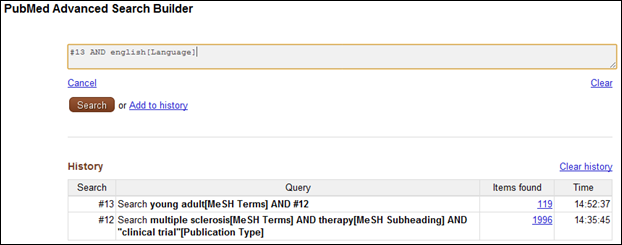
Figure 6: Editing the search without the Builder.

Figure 7: More Resources menu expanded.

Canese K. PubMed Advanced Search Page Updated. NLM Tech Bull. 2011 Nov-Dec;(383):e7.
